

2026-09-08 11:39:39
Computer cables are essential components for connecting, powering, and transmitting signals between computers, displays, peripheral devices, and electronic systems. Different applications require different cable structures, voltage ratings, conductor configurations, and connector solutions.
From UL Computer Cable and Multi Core Computer Cable to Low Voltage Computer Cable, RGB Display Cable, and USB Cable, choosing the right cable can help ensure stable transmission, reliable operation, and long-term performance. For specialized applications, a Custom Low Voltage Computer Cable can also be developed according to specific electrical and structural requirements.
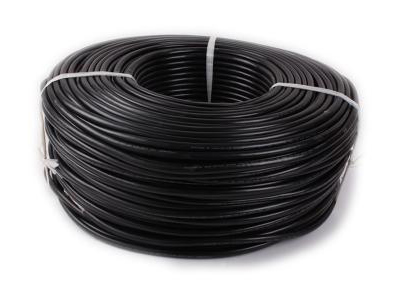
A computer cable is a cable designed to connect computers with displays, peripherals, electronic components, or other devices. Depending on the application, computer cables may be used for data transmission, signal transmission, power delivery, or a combination of these functions.
Computer cables are available in different constructions and specifications. The selection depends on factors such as voltage, current, transmission requirements, cable length, conductor configuration, shielding, connector type, and installation environment.
Different computer systems require different Cable Solutions. Common types include:
UL Computer Cable
Multi Core Computer Cable
Low Voltage Computer Cable
Custom Low Voltage Computer Cable
RGB Display Cable
Each type is designed for a specific application and can be manufactured in different configurations according to system requirements.
UL Computer Cable refers to computer-related cable products manufactured to meet applicable UL requirements. UL-recognized or UL-listed cable solutions are commonly selected for applications where safety and compliance are important considerations.
For manufacturers and distributors serving markets with specific safety requirements, selecting an appropriate UL-compliant cable can help support product certification and reliable operation.
UL Computer Cable can be considered when an application requires:
Appropriate electrical safety characteristics
Compliance with applicable UL requirements
Reliable connection between electronic devices
Consistent cable construction
Suitability for specific computer or electronic applications
The exact UL requirement depends on the cable construction and intended application, so specifications should be confirmed before production or purchasing.
A Multi Core Computer Cable contains multiple individual conductors within a single cable structure. This design allows several signals or electrical connections to be integrated into one cable.
Multi-core construction can simplify wiring and help reduce the number of separate cables required in an electronic system.
Multi Core Computer Cable can be used for:
Computer equipment
Internal electronic connections
Display systems
Control equipment
Data and signal connections
Customized electronic devices
The number of cores, conductor specifications, insulation materials, shielding, and outer jacket can be selected according to the application.
Low Voltage Computer Cable is designed for applications operating at relatively low electrical voltages. These cables are commonly used for signal, control, communication, and low-voltage electronic connections.
Low-voltage cable design focuses on stable electrical transmission, suitable insulation, flexibility, and compatibility with the connected equipment.
For specialized equipment, standard cable specifications may not always meet the requirements of the final product. A Custom Low Voltage Computer Cable can provide a more suitable solution.
Customization may involve:
Cable length
Number of cores
Conductor specifications
Insulation and jacket materials
Shielding
Connector type
Cable structure
Color and labeling
Custom cable solutions are particularly useful for OEM and ODM projects where cable dimensions and electrical characteristics need to match a specific device.
An RGB Display Cable is designed for display-related signal transmission involving RGB signals. It can be used in systems where reliable transmission between a computer or other signal source and a display device is required.
RGB cables are available in different constructions depending on the interface, transmission requirements, cable length, and application environment.
When selecting an RGB Display Cable, consider:
Display interface requirements
Signal transmission requirements
Cable length
Shielding requirements
Connector compatibility
Installation environment
A properly matched cable can help provide stable signal transmission and reliable display performance.
USB Cable is one of the most widely used cable types for computers and electronic devices. USB cables can support different functions depending on the USB specification and cable construction, including data transmission and power delivery.
USB cables are commonly used to connect computers with:
Keyboards
Mice
Printers
Storage devices
Mobile devices
Hubs
Other USB peripherals
The required USB cable should be selected according to the interface type, transmission requirements, power requirements, and device compatibility.
Selecting the right computer cable starts with understanding the requirements of the application.
Determine the required voltage, current, and transmission characteristics before selecting the cable.
For applications requiring multiple connections, a Multi Core Computer Cable may simplify system wiring and provide a more integrated solution.
If the application requires UL compliance, an appropriate UL Computer Cable should be selected based on the applicable standard and certification requirements.
The connector must match the interfaces of both connected devices. This is especially important for USB and display cables.
When standard cables cannot meet the required dimensions or specifications, a Custom Low Voltage Computer Cable can be considered for OEM or specialized applications.
High-quality computer cables can provide several benefits for electronic and computer systems.
Properly designed cables help maintain reliable power, data, or signal transmission between connected devices.
Suitable conductor, insulation, shielding, and jacket materials can contribute to cable durability and consistent performance.
Computer cables are available in different structures and specifications, making them suitable for computers, displays, control systems, and electronic equipment.
Customized cable solutions allow manufacturers to develop products that match specific equipment requirements rather than relying only on standard cable configurations.
Common types include UL Computer Cable, Multi Core Computer Cable, Low Voltage Computer Cable, RGB Display Cable, and USB Cable. The appropriate type depends on the intended application.
A Multi Core Computer Cable contains multiple conductors inside one cable, allowing several electrical or signal connections to be integrated into a single cable assembly.
A Low Voltage Computer Cable is designed for low-voltage electronic, signal, control, or communication applications. Its exact specifications depend on the system requirements.
Yes. A Custom Low Voltage Computer Cable can be developed with different lengths, core configurations, conductors, insulation, shielding, connectors, and other specifications according to project requirements.
An RGB Display Cable is used for transmitting RGB display signals between compatible signal sources and display equipment.
USB Cable is commonly used to connect computers and electronic devices for data transmission, power delivery, or both, depending on the USB specification and cable design.
Computer cables play an important role in modern computers, displays, electronic equipment, and communication systems. Whether you need a UL Computer Cable, Multi Core Computer Cable, Low Voltage Computer Cable, RGB Display Cable, or USB Cable, the cable should be selected according to the electrical, mechanical, and application requirements.
For specialized projects, a Custom Low Voltage Computer Cable can provide greater flexibility in cable structure, core configuration, length, shielding, and connector design. Choosing the right cable solution can help improve system compatibility, transmission reliability, and overall product performance.

Specializing in the production of wire and cable Hong Kong funded enterprises (both domestic and foreign sales); has won the IS09001-2000 international quality certification and the United States UL safety certification, is a professional wire manufacturers.
Tel: +86-769-8178 1133
Mobile: +86-13549233111
E-mail: andy@herwell.com.cn
Add: No.13 Shui Chang Er Road, Shui Kou Village, Dalang Town, Dongguan City, Guangdong Province, China


