

2026-03-05 15:06:25
In modern electronics and communication systems, computer cables play a critical role in ensuring stable data transmission and reliable power delivery. From UL Computer Cable used in certified electronic equipment to Multi Core Computer Cable designed for complex signal transmission, these cables support a wide range of applications in computers, displays, industrial devices, and consumer electronics.
This article explores different types of computer cables, including Low Voltage Computer Cable, Custom Low Voltage Computer Cable, RGB Display Cable, and USB Cable, while highlighting their features, applications, and advantages.
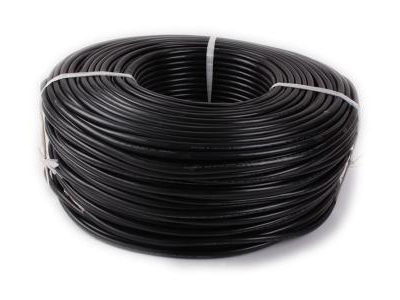
A computer cable is a type of Electrical Cable used to connect computer hardware components and peripherals for data transfer, signal communication, or power supply. These cables are designed to ensure stable performance while protecting signals from interference.
Common types of computer cables include:
UL Computer Cable
Multi Core Computer Cable
Low Voltage Computer Cable
RGB Display Cable
USB Cable
Each type is designed for specific electronic or communication applications.
A UL Computer Cable is a cable that meets safety standards certified by UL (Underwriters Laboratories). UL certification ensures that the cable meets strict safety and performance requirements for electrical systems.
High safety standards and compliance
Flame-retardant insulation materials
Stable electrical conductivity
Reliable performance in electronic devices
UL-certified cables are commonly used in computers, servers, office equipment, and industrial electronics where safety and reliability are essential.
A Multi Core Computer Cable contains multiple insulated conductors inside a single cable jacket. This design allows several signals or power lines to be transmitted simultaneously.
Efficient multi-signal transmission
Reduced cable clutter
Better organization of internal wiring
Improved flexibility in system design
Multi-core cables are widely used in computer systems, industrial control equipment, and advanced communication devices.
A Low Voltage Computer Cable is designed for systems operating at relatively low electrical voltages. These cables are often used in:
Computer peripherals
Networking equipment
Security systems
Smart home devices
Data communication systems
Low voltage cables provide safe and efficient power distribution while minimizing electrical hazards.
Many industries require specialized Cable Solutions. A Custom Low Voltage Computer Cable can be designed according to specific technical requirements such as:
Cable length
Connector types
Shielding levels
Number of cores
Insulation materials
Custom cable solutions are widely used in data centers, industrial automation, and specialized electronic equipment where standard cables may not meet system requirements.
An RGB Display Cable is designed to transmit red, green, and blue video signals from a computer or video source to a display device. These cables are commonly used for:
Computer monitors
LED display systems
Projectors
Industrial display panels
High-quality RGB cables ensure accurate color reproduction and stable video transmission.
The USB Cable is one of the most widely used computer cables worldwide. It enables both data transfer and power supply between devices such as:
Computers and laptops
Smartphones and tablets
External hard drives
Printers and scanners
Gaming accessories
Universal compatibility
Fast data transmission
Convenient plug-and-play design
Support for power charging
USB cables are available in multiple standards, including USB-A, USB-B, Micro USB, and USB-C.
Selecting the right computer cable depends on several factors:
Choosing a UL Computer Cable ensures compliance with international safety standards.
For complex systems, a Multi Core Computer Cable can support multiple signals within one cable.
Devices operating with low electrical power require a Low Voltage Computer Cable for safe performance.
If your equipment requires special connectors or lengths, a Custom Low Voltage Computer Cable may be the best option.
Ensure the cable matches your device interface, such as an RGB Display Cable for monitors or a USB Cable for universal device connections.
Computer cables are widely used across various industries, including:
Information technology and data centers
Consumer electronics
Industrial automation systems
Security and monitoring equipment
Multimedia display systems
Products like UL Computer Cable, Multi Core Computer Cable, and Custom Low Voltage Computer Cable provide reliable connectivity solutions for modern technology.
Computer cables are essential components that enable efficient communication and power distribution between electronic devices. Whether it is a UL Computer Cable for safety compliance, a Multi Core Computer Cable for complex systems, a Low Voltage Computer Cable for safe operation, or a USB Cable for everyday connectivity, each type plays a vital role in modern computing environments.

Specializing in the production of wire and cable Hong Kong funded enterprises (both domestic and foreign sales); has won the IS09001-2000 international quality certification and the United States UL safety certification, is a professional wire manufacturers.
Tel: +86-769-8178 1133
Mobile: +86-13549233111
E-mail: andy@herwell.com.cn
Add: No.13 Shui Chang Er Road, Shui Kou Village, Dalang Town, Dongguan City, Guangdong Province, China


